 ThingzSafe
1. Pick an item
Open an item, or tick several in a list. The more you tell ThingzSafe, such as make, model or edition, the better the match.
Included with Pro
Find comparable listings, estimate delivery and choose a replacement value you are happy to keep.
How it works
Open an item, or tick several in a list. The more you tell ThingzSafe, such as make, model or edition, the better the match.
Choose your country and currency, then tap Generate. ThingzSafe looks for comparable listings and estimates delivery.
Compare up to three prices, open the source listing, and accept a value or enter your own.
A television model, a much-loved book or a workshop tool: ThingzSafe uses its title, category, make and model to narrow the search. Choose your country and currency, then review comparable prices with their source links.
Warranty and new-for-old settings guide the new or used replacement basis. Domestic sellers are preferred; delivery is included in the proposed value.
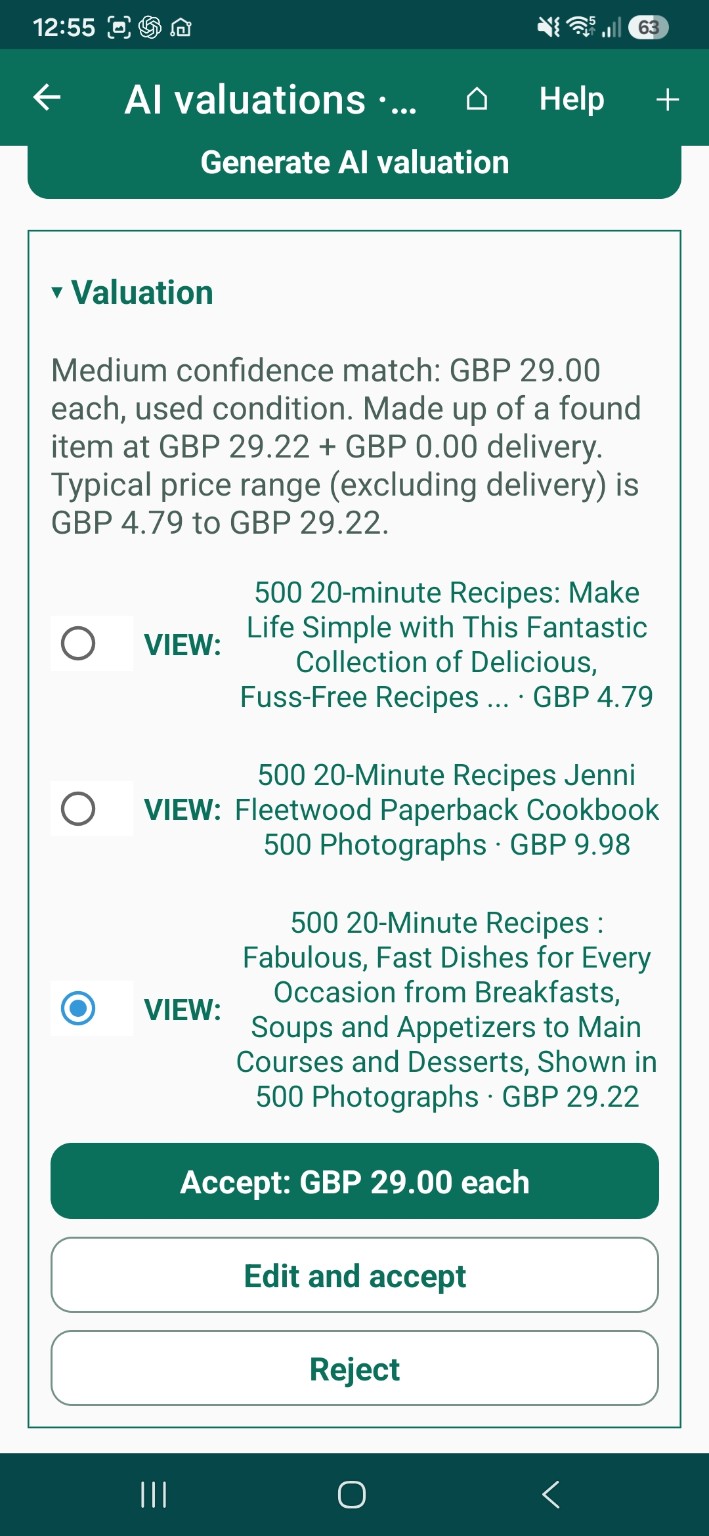
See up to three distinct low, middle and high price choices. Open a source listing and check the match.
Select a comparable or edit the amount yourself. The Accept button shows the per-item value you will keep.
Select rows in web Bulk Review or use Android’s review list. Apply accepted results without retyping each value.
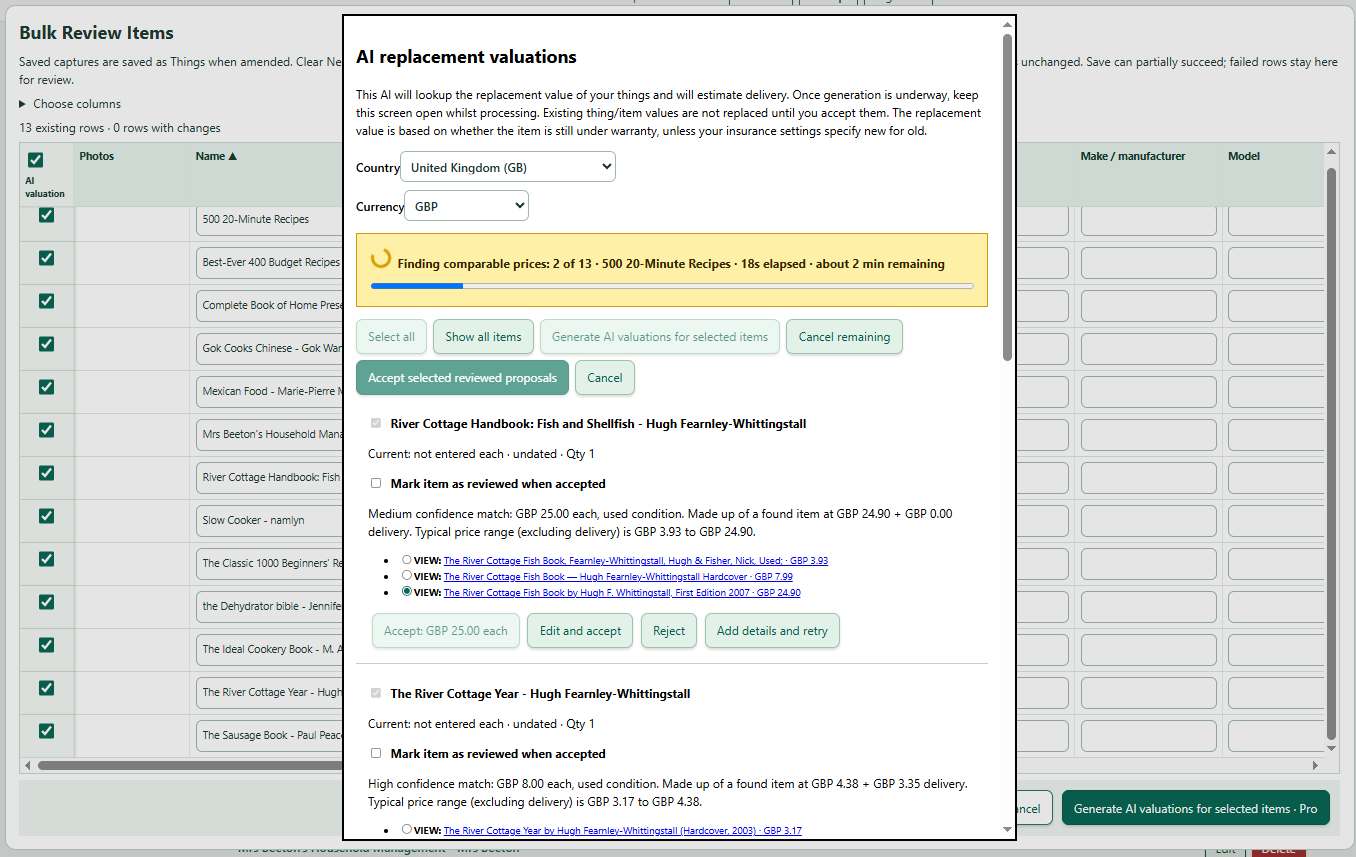
No separate AI account or API key is needed. Internet access and fair usage limits apply. Existing values stay unchanged until you accept.
AI estimates can be wrong. Listings, condition, editions and delivery vary. This is a practical recordkeeping aid, not a formal insurance assessment.
Read the valuation guidePro includes everything in Household, plus AI tools, Alexa voice control, custom category fields, loans and rentals, and sale and disposal records.
Compare plans